
Claude Cowork vs OpenClaw: Detailed Comparison of AI Agents 2026
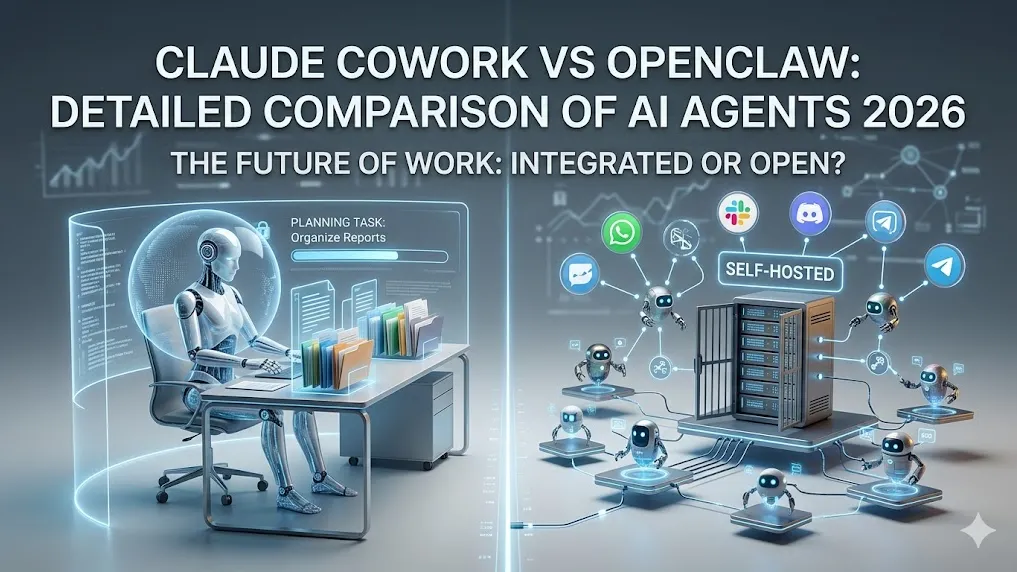
Quick Comparison
| Aspect | Claude Cowork | OpenClaw |
|---|---|---|
| Developer | Anthropic (closed-source) | Open-source community (MIT license) |
| Deployment | Claude Desktop app (macOS, Windows x64) | Self-hosted daemon/server (any OS, Docker) |
| Primary Access | Cowork tab in Claude Desktop app | Messaging apps (WhatsApp, Telegram, Discord, Slack + 15 more) + WebUI |
| Model Access | Claude family only | Any LLM (OpenAI, Anthropic, Grok, local Ollama, Gemini) |
| Autonomy | Multi-step planning with sub-agents on local files/folders | Goal-oriented agent with tools, memory, cron jobs |
| Privacy | Local conversation history; files processed in isolated VM | Fully self-hosted; zero external data sharing by default |
| Cost | $20/mo (Pro) with usage limits; $100–$200/mo (Max plans) | Free core software; $0–$200+/mo (hosting + LLM API) |
| Setup Complexity | Low (download app, grant folder access) | Medium (one-line install + channel config) |
| Best For | File organization, document creation, desktop workflows | Always-on messaging automation, cross-platform tasks |
Overview
Claude Cowork, launched January 2026 as a research preview, turns Claude into an agent that executes complex tasks directly on your computer. It runs inside the Claude Desktop app, using an isolated virtual machine for safety. Users describe goals like “organize my reports” or “create a quarterly presentation,” and it plans, executes, and delivers results with visible progress.
OpenClaw is a fully open-source personal AI assistant you host yourself. It connects to the messaging platforms you already use and performs real-world actions via tools and skills. Since 2024 it has evolved into a control plane for autonomous agents with persistent memory and background tasks.
Both enable agentic AI beyond chat, but Claude Cowork focuses on desktop file work while OpenClaw emphasizes communication-first automation and flexibility.
Performance & Capabilities
- Task Execution: Claude Cowork excels at file-centric work—organizing folders, generating Excel with formulas, PowerPoint slides, research synthesis, and browser automation. It coordinates sub-agents for parallel tasks and supports long-running sessions.
- Speed & Reliability: Cowork delivers consistent results on supported desktop tasks (app must remain open). OpenClaw performance depends on chosen model and hardware but handles continuous workflows like email triage or calendar booking via native integrations.
- Autonomy & Memory: Both support multi-step reasoning. Cowork offers recurring schedules (/schedule command) but no cross-session memory. OpenClaw includes vector-based long-term memory, cron jobs, and autonomous routing across workspaces.
- Real-World Scenarios:
- Reorganize project folders and generate summary spreadsheets → Claude Cowork stronger (direct local file VM access).
- Clear WhatsApp inbox, draft replies, book flights, and update calendar → OpenClaw wins (native channel + tool support).
- Run offline or on private data with local models → OpenClaw (full local inference possible).
Pricing & Accessibility
- Claude Cowork: Available on Pro plan ($20/month) with usage limits; Max 5x ($100/month) or Max 20x ($200/month) for heavier workloads. Team/Enterprise requires premium seats (~$125/user/month). All features identical across tiers—higher plans simply provide more compute capacity.
- OpenClaw: Core software is completely free (MIT license). Real costs come from server hosting ($3–$50/month) and LLM API usage ($0–$150+/month). Local models (Ollama) can reduce costs to near zero.
Trade-off: Cowork offers predictable paid access to premium Claude models; OpenClaw provides zero software cost but variable infrastructure expenses.
Ease of Use & Setup
- Claude Cowork: Download Claude Desktop, switch to Cowork mode, point to a folder, describe the task. Minimal configuration; plugins extend capabilities. App must stay running.
- OpenClaw: One-line install script sets up the gateway daemon. Configure LLM key, connect messaging channels, enable tools via WebUI or CLI. Initial setup takes 15–45 minutes but runs 24/7 in background.
Cowork suits users wanting instant desktop productivity; OpenClaw appeals to those comfortable with self-hosting for deeper customization.
Privacy & Security
- Claude Cowork: Conversation history stored locally on your device. Files stay on machine (processed in isolated VM); internet tools respect egress permissions. Not suitable for regulated data due to agentic risks.
- OpenClaw: Everything runs on your hardware or server. Sensitive actions (email, calendar, files) use direct local or API integrations with no third-party sharing unless configured. Ideal for privacy-focused or enterprise on-prem use.
Ecosystem & Integrations
- Claude Cowork: Plugins bundle skills, connectors, and sub-agents. Tight integration with Claude Desktop; supports Google Drive and browser tools. Expanding connectors added February 2026.
- OpenClaw: 5,400+ community skills registry. Native support for 20+ messaging platforms, browser control (Chrome CDP), system commands, calendars, Gmail, and more. Any LLM provider plus local models.
Which Should You Choose?
-
Choose Claude Cowork if:
- You already subscribe to Claude Pro or higher.
- Your work centers on files, spreadsheets, presentations, and desktop organization.
- You want quick setup with Anthropic’s safety features and visible progress tracking.
- You prefer a polished desktop experience without managing servers.
-
Choose OpenClaw if:
- Data privacy and sovereignty matter most.
- You need an assistant reachable via daily messaging apps (WhatsApp, Slack, etc.).
- You want broad automation (email, calendar, web actions, custom scripts) with cron and memory.
- You value open-source flexibility, local models, and zero software licensing fees.
Both tools mark the 2026 shift toward practical agentic AI. Test Claude Cowork directly in the desktop app if you have Pro access; install OpenClaw via its one-line script for immediate hands-on evaluation.