
What is iLink?
What is iLink?
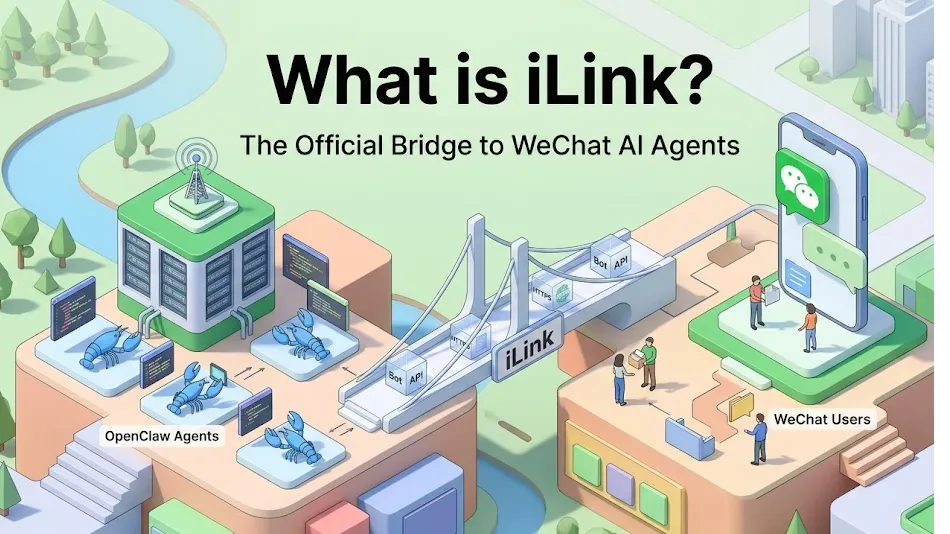
iLink (also known as the iLink Bot API or ilink protocol) is Tencent’s official protocol, officially released around March 22, 2026. It allows anyone to safely and legally connect the popular open-source AI agent framework OpenClaw (nicknamed “小龙虾” or Little Lobster) to a personal WeChat account.
It powers the new ClawBot plugin, turning WeChat into a native chat interface for your AI agent. This is the first time WeChat has provided an official, secure Bot API for personal use — ending the era of risky reverse-engineered workarounds that often got accounts banned.
Why iLink Was Created
China’s “养小龙虾” (raise a lobster) craze exploded in early 2026. Millions of developers were running OpenClaw agents locally, but connecting them to WeChat was complicated and risky. Early Chinese X (Twitter) users and open-source communities pushed Tencent to open the “ilink” protocol.
Tencent responded with the official ClawBot plugin and the iLink backend. Now 1.4 billion+ WeChat users can access powerful AI agents with nothing more than a QR code scan.
How iLink Works (Simple User Flow)
- Run OpenClaw on your computer/server.
- Install the official Tencent plugin (
npx -y @tencent-weixin/openclaw-weixin-cli@latest install). - Generate a QR code and scan it with WeChat.
- A new contact named ClawBot appears in your WeChat.
- Chat normally — text, images, voice, files — and your OpenClaw agent handles everything behind the scenes.
The protocol acts as a secure relay: WeChat ↔ iLink servers (https://ilinkai.weixin.qq.com) ↔ Your OpenClaw instance.
Key Technical Details
- Main domain:
https://ilinkai.weixin.qq.com - Media files: Tencent CDN with AES-128-ECB encryption
- Core API endpoints (JSON over HTTP):
/ilink/bot/get_bot_qrcode– Generate login QR code/ilink/bot/get_qrcode_status– Check scan status/ilink/bot/getupdates– Long polling (like Telegram Bot API)/ilink/bot/sendmessage– Send replies (must includecontext_tokenfor the chat session)- Additional:
sendtyping, media upload/download,getconfig, etc.
Community has already reverse-engineered and documented everything (1200+ lines of specs, curl examples, Mermaid diagrams) and released SDKs in Node.js, Python, Rust, Go, TypeScript, etc.
Benefits & Impact
✅ Official & safe – no more account ban risk
✅ Super easy – just scan a QR code
✅ Full-featured – text, images, voice, files, typing indicators, memory, tools
✅ Compatible – works with OpenClaw, Claude Code, local LLMs, and other agents
✅ Massive reach – instantly gives your AI agent access to China’s biggest messaging platform
Many developers are calling it a “nuclear-level update” for AI agents in China.
Who Should Use iLink?
- Developers running OpenClaw or any local AI agent
- Power users who want to chat with their AI inside WeChat instead of Discord/Slack/Telegram
- Companies building internal tools or automation bots
Note: Currently focused on personal use and private chats (not yet a fully open third-party Bot platform like Telegram). It’s still a controlled official relay with security safeguards.
How to Get Started (Quick Start)
- Make sure you’re on the latest WeChat version.
- Follow the official install command in your OpenClaw environment.
- Scan the generated QR code.
- Start chatting with ClawBot!
Full guides, SDKs, and community docs are already live on GitHub (search “openclaw-weixin” or “iLink Bot API”).
Last updated: March 2026
Tencent’s move into the AI agent space is just getting started — iLink is the gateway that makes it real for hundreds of millions of users.