

birdclaw
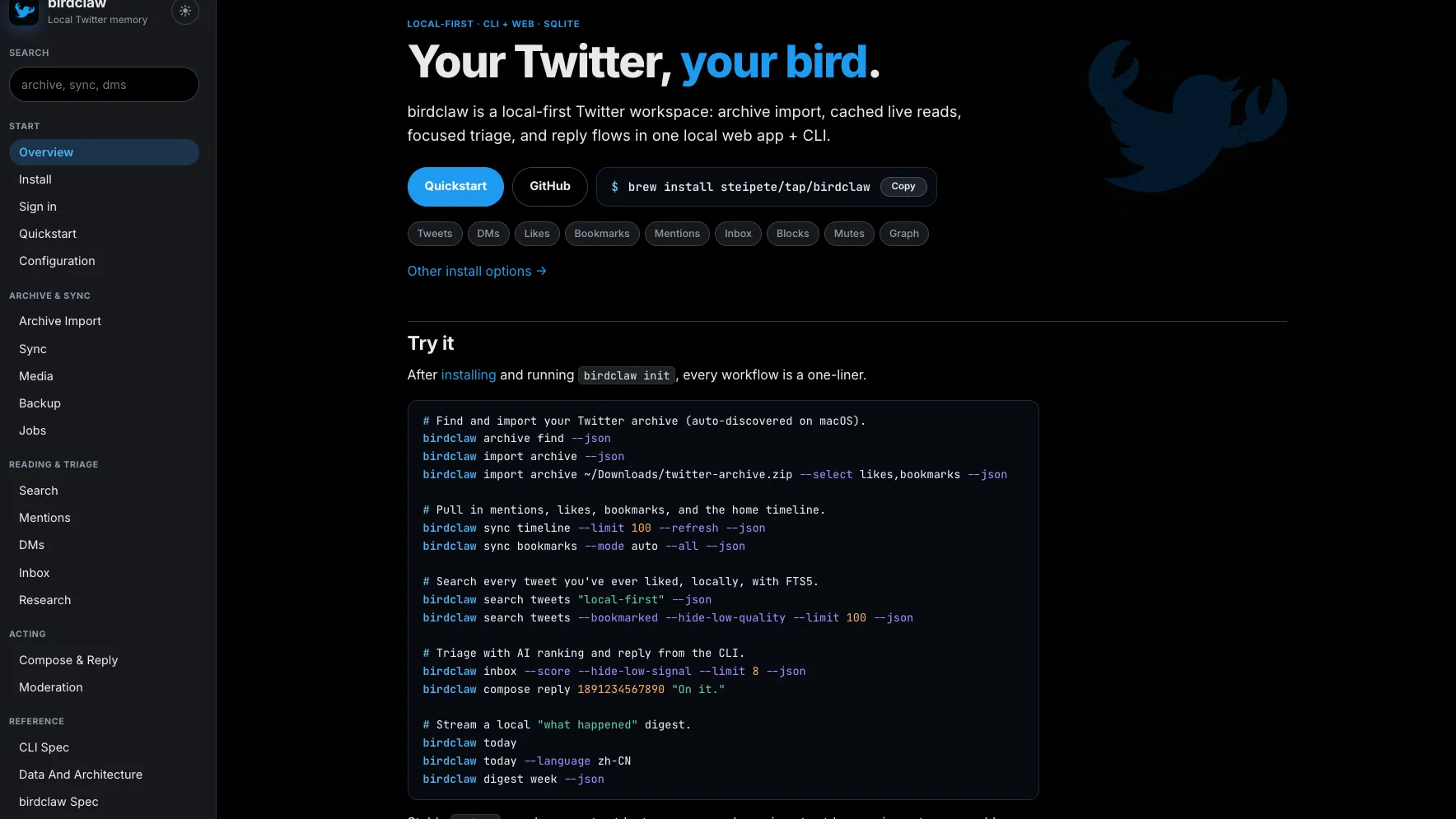
birdclaw is a local-first Twitter/X workspace that imports archives, caches live reads, and stores tweets, DMs, likes, bookmarks, mentions, blocks, and social graph data in SQLite. It combines a CLI and local web app for search, triage, reply workflows, and AI-assisted review.
Decision information
Manual verification pending- Ecosystem category
- Infrastructure
- Content type
- Product
- Pricing
- Open Source
- Open source
- Yes
- License
- Not recorded
- Maintenance
- Unknown
- Install methods
- Not recorded
- Platforms
- Not recorded
- Interfaces
- Terminal
Security signals (informational, not a security certification)
What Is birdclaw?
birdclaw is a local-first workspace for people who want to own, search, and work with their Twitter/X data outside the main X interface. It can import a downloaded Twitter/X archive, store the data in a local SQLite database, and expose it through both a command-line tool and a local web UI.
The project is built around the idea that your tweets, DMs, likes, bookmarks, mentions, blocks, mutes, followers, and following relationships should be queryable and reusable locally. Instead of treating Twitter/X as only a live feed, birdclaw turns it into a personal memory store that can be searched, filtered, scored, and used by agents or automation workflows.
Core Workflow
The typical workflow starts with installing birdclaw, initializing local state, and importing a Twitter/X archive. On macOS, birdclaw can help discover archives from common locations such as Downloads. Once imported, the data is written into a local SQLite workspace under the user's birdclaw directory.
After the archive import, users can optionally connect live transports to fetch newer timelines, mentions, likes, bookmarks, and profile metadata. The local web app can then be launched to browse lanes such as Home, Mentions, Likes, Bookmarks, DMs, Inbox, Blocks, and profile pages.
Features
birdclaw focuses on practical Twitter/X data operations rather than being a generic social media dashboard. It supports archive import, selective re-imports for slices such as likes or DMs, local full-text search, cached live reads, timeline syncing, bookmark syncing, profile hydration, and local account-scoped blocklist management.
The CLI supports workflows such as searching tweets, importing archives, syncing timelines, generating daily or weekly digests, composing replies, and triaging inbox items. The web app adds a more visual workspace for reviewing mentions, saved posts, DMs, profile context, and data-source health.
A major differentiator is the use of SQLite and FTS5 for local search. This makes birdclaw useful for people who have years of Twitter/X history and want fast, private search across posts they wrote, liked, bookmarked, or received.
AI and Triage Capabilities
birdclaw includes workflows for ranking or filtering attention-heavy streams such as mentions, replies, and inbox-like queues. It can use heuristics and AI scoring to surface likely-important items, hide low-signal posts, and help users decide what deserves a response.
The project also includes profile analysis workflows that can backfill profile timelines and conversation context, cache analysis results in SQLite, and expose profile-level insights in the web UI. This makes it useful for creators, developers, founders, researchers, and community managers who need more context before replying.
Use Cases
birdclaw is especially useful for power users who rely on Twitter/X as a professional memory layer. Developers can search old technical discussions, founders can triage replies and DMs, writers can revisit bookmarked research, and community managers can maintain local context around followers, replies, and conversations.
It is also useful for agent workflows. Because the data is local and structured, birdclaw can act as a personal social memory backend for scripts, local assistants, or other tools that need access to past posts, interactions, or saved references without repeatedly depending on the live X interface.
Installation and Setup
The primary install path is via Homebrew using brew install steipete/tap/birdclaw. The project also documents other install options such as npm and source builds. After installation, users initialize state with birdclaw init, check authentication and database status, import an archive, and then run the local web app with birdclaw serve.
For the best initial setup, users should first request and download their Twitter/X archive. Live sync is useful later, but the archive import establishes the local historical dataset and account identity. Large profile hydration jobs may consume many live reads, so they should be run deliberately.
Strengths
birdclaw's strongest advantage is that it treats Twitter/X data as a local database rather than a remote-only timeline. This gives users stronger control over search, backup, filtering, and automation.
The combination of CLI and web UI is also important. CLI users can script imports, search, syncs, and digests, while the local web interface provides a more comfortable review environment for mentions, bookmarks, DMs, profile pages, and inbox triage.
Limitations
birdclaw is still marked as a work in progress. Users should expect schema changes, transport gaps, and rough edges as the project evolves. It is best suited for technical users who are comfortable with CLI tools, local databases, and occasional setup friction.
Because Twitter/X access rules and APIs can change, live syncing may depend on available transports and account state. The archive-based workflow is the safer foundation, while live reads should be treated as an enhancement rather than the only data source.
Best For
birdclaw is best for developers, creators, researchers, founders, and social media power users who want a local-first Twitter/X memory system. It is less suitable for casual users who only want a simple social scheduling dashboard or a fully hosted analytics product.
For people who treat Twitter/X as a long-term knowledge base, birdclaw offers a practical way to make old tweets, likes, bookmarks, DMs, and relationships searchable, structured, and agent-friendly.