

Overview
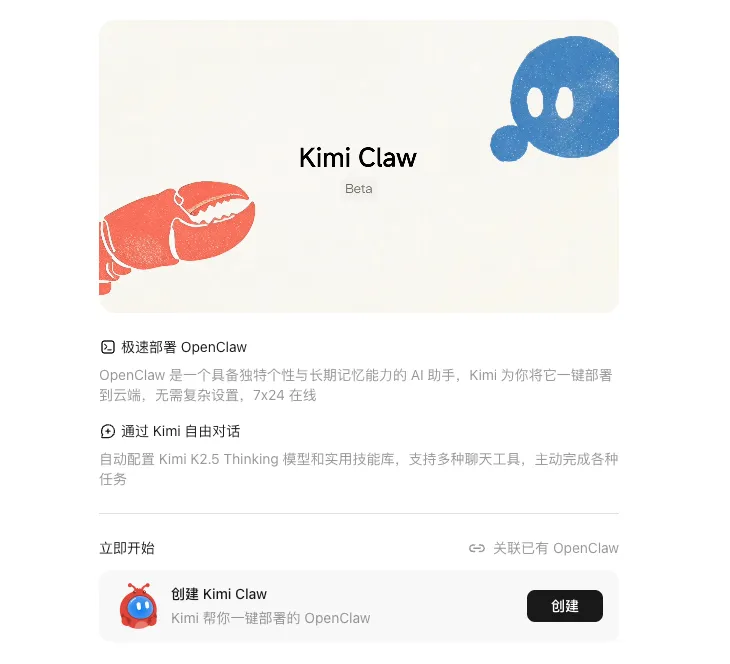
Kimi Claw is Moonshot AI's official browser-native AI agent, built directly on the OpenClaw framework and integrated into the Kimi ecosystem. Launched in beta in February 2026, it transforms the self-hosted OpenClaw experience into a one-click cloud deployment accessible at https://kimi.com/bot. Users get a true 24/7 personal AI assistant that maintains long-term memory, develops habits, executes tasks proactively, and runs multi-step workflows without any local servers, Docker, or VPS maintenance.
Powered by Kimi K2.5 (and compatible with Bring Your Own Claw setups), it sits between a standard chatbot and a fully autonomous agent—capable of observing, reasoning, acting, and persisting across sessions.
Key Features
- One-Click Deployment: Create or link an OpenClaw instance directly in your browser tab at kimi.com/bot. No command line, no infrastructure management.
- Persistent Long-Term Memory & Personality: Remembers conversations, preferences, and habits across days or weeks; configurable persona and behavior rules.
- Proactive Execution & Scheduling: Runs tasks 24/7 based on rules, cron-like schedules, or triggers—even when you're offline.
- ClawHub Skill Marketplace: Instant access to 5,000+ community skills for Google Docs, Stripe, email, home automation, and more—installable with a single command in chat.
- 40GB Cloud Storage: Dedicated workspace for files, generated documents, context, and long-term data.
- Real-Time Retrieval: Built-in web search, finance data, and live information access.
- Multi-Channel Integration: Connect to Telegram (via BotFather), messaging apps, and other platforms for interaction beyond the web interface.
- Auto-Fix & Reliability: Built-in recovery tools; refreshes or restarts sessions automatically.
- Cross-Platform Access: Available on web, with mobile support via iOS and Android Kimi clients.
How to Get Started
- Log in to kimi.com (Allegretto tier or higher recommended for full beta access).
- Open the Kimi Claw sidebar or navigate directly to https://kimi.com/bot.
- Create a new Kimi Claw instance or link an existing self-hosted OpenClaw environment.
- Connect optional channels (e.g., Telegram bot).
- Chat naturally to configure persona, memory rules, schedules, and install skills from ClawHub.
Setup takes minutes. Refresh the page or use the auto-fix option if connectivity issues arise.
Use Cases
- Research & Analysis: Persistent agents that monitor markets, compile reports, and retrieve real-time data overnight.
- Content Automation: Script writers, social media managers, or video researchers that generate and iterate on assets with long-term context.
- Daily Operations: Personal assistants handling email triage, calendar management, file organization, and habit-based reminders.
- Workflow Orchestration: Multi-step automations connecting ClawHub skills (e.g., fetch data → analyze → generate invoice → send via Telegram).
- Testing OpenClaw: Ideal for users evaluating the full agent framework before committing to local hardware like a Mac Mini.
Kimi Claw vs. Self-Hosted OpenClaw
Kimi Claw removes all infrastructure burden while retaining OpenClaw's core strengths (memory-first design, skill ecosystem). Self-hosted versions offer more customization and local privacy but require ongoing maintenance. Kimi Claw adds official 40GB cloud storage, seamless Kimi K2.5 integration, and browser convenience.
FAQ
What is Kimi Claw? Moonshot AI's browser-native AI agent built on OpenClaw for persistent memory, proactive execution, and multi-step workflows.
Does it run 24/7? Yes—designed for always-on operation (continuity depends on account status and task rules).
Can I use ClawHub skills? Yes—full access to the 5,000+ community library.
Pricing & Availability Beta access is tied to Kimi membership plans (check kimi.com/membership for current tiers).
Limitations Single primary agent instance per account (sub-agents supported); file sending capabilities still expanding.